

In today’s AI-driven marketing landscape, structured product data isn’t just helpful – it’s essential. At ROI Revolution, we’ve long championed the mantra: more product data is always better. But with AI now influencing everything from ad targeting to product discovery, the stakes have never been higher.
If your Shopping or Performance Max campaigns are underperforming and you’ve run out of ideas on how to improve, it might be time to audit your product feed. Let’s explore how rich product details can elevate your feed – and your performance results.
ICYMI Note: Don’t forget to check out our team’s guidelines on optimizing your product’s Titles and Descriptions.
Start with the Basics: Variant Attributes That Matter
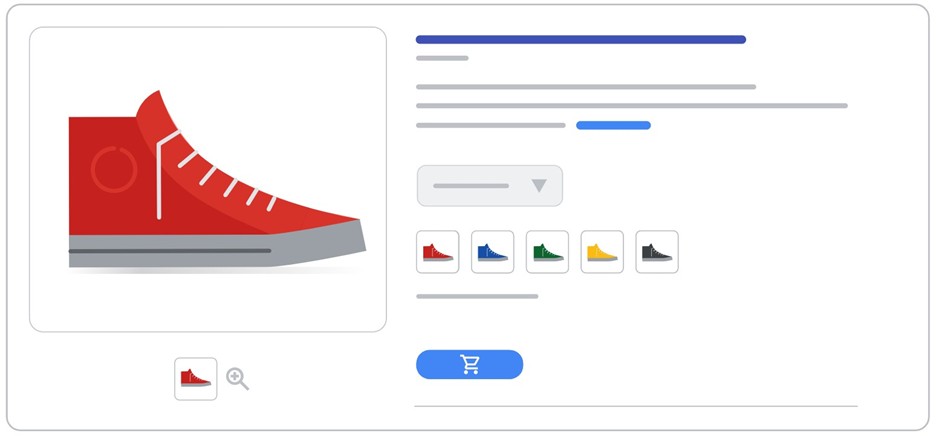
Before diving into advanced fields, ensure your feed covers the essentials – especially if you’re in the Apparel space or sell products with multiple variants. These attributes help ensure Google surfaces the right options to shoppers based on their query intent:
- Age Group
- Size
- Color
- Gender
- Material
- Pattern
Be sure not to forget the importance of passing a correct item_group_id to group those product variants. Most of this data should already live on your eCommerce platform or PIM – so integrating it into your feed can be straightforward.
Pro Tip: Include variant details in your product titles to improve visibility and avoid duplicate title penalties.
Rich Product Data: Breaking Through the Basics with Product Details
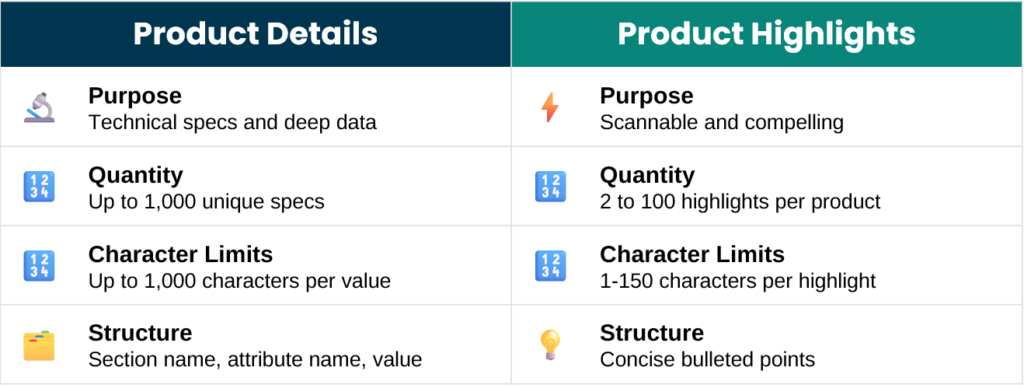
Selling products with technical specs or unique differentiators? The product_detail attribute is your secret weapon. This underutilized field allows up to 1,000 unique specifications per product, each with:
- Section Name (optional but valuable)
- Attribute Name (up to 140 characters)
- Attribute Value (up to 1,000 characters)
That’s potentially 1.28 million characters of rich, searchable data – far beyond the 5,000-character limit of standard descriptions.
Where does this information show up?
Primarily in Free Listings, but the benefits extend across categories such as:
Electronics & Computers
- Home & Commercial Appliances
- Automotive
- Equipment
- CPG
- Construction & Building Materials
Product Highlight: Showcase What Makes Your Product Shine
For less technical but equally important features, use the product_highlight attribute. Think of these as product bullet points – concise, compelling, and customer-focused.
- Up to 100 highlights per product
- Each highlight: 1–150 characters
- Minimum of 2 highlights required
Avoid generic brand messaging (like shipping policies). Instead, focus on what makes your product stand out.
Pro Tip: If you already have bullets on Amazon or in your PIM, repurpose them for your Google feed.
Align Your Site & Feed Content
Consistency between your website and product feed is key. Discrepancies can confuse shoppers and hurt performance. Make sure your product titles, descriptions, and highlights align across platforms.
Why It Matters: AI, Visibility, & Conversion
AI thrives on structured data. The more detailed and organized your product feed, the better AI can match your products to the right shoppers. Rich product data isn’t just about visibility – it’s about education, engagement, and driving conversions.
Troubleshooting Tips
If Google Merchant Center is rejecting your Product Detail or Highlight fields:
- Check your Data Source Settings
- Navigate to ‘Data Sources’ > Your Feed > Data Source Setup
- Enable ‘Quoted fields’ under Advanced Options
Legacy accounts may need this manually toggled.
Ready to Optimize?
Whether you’re short on bandwidth or unsure where to start, our Product Feeds team is here to help. Let’s turn your product data into a performance powerhouse.